Give Your Venue Its Own Voice
Typed, recorded, scheduled, or straight from your customers. Every message drops in cleanly between songs - no microphone to find, nobody put on the spot, and no awkward dead air.
- Plays between songs, never over the music
- Run from any staff phone
- Customer messages checked before they air

Announcements that sound like a radio station
Whatever the message, it rides the same moderated pipeline as your music and lands the moment the current song ends.
Record a voice announcement
Say it once. Play it perfectly.
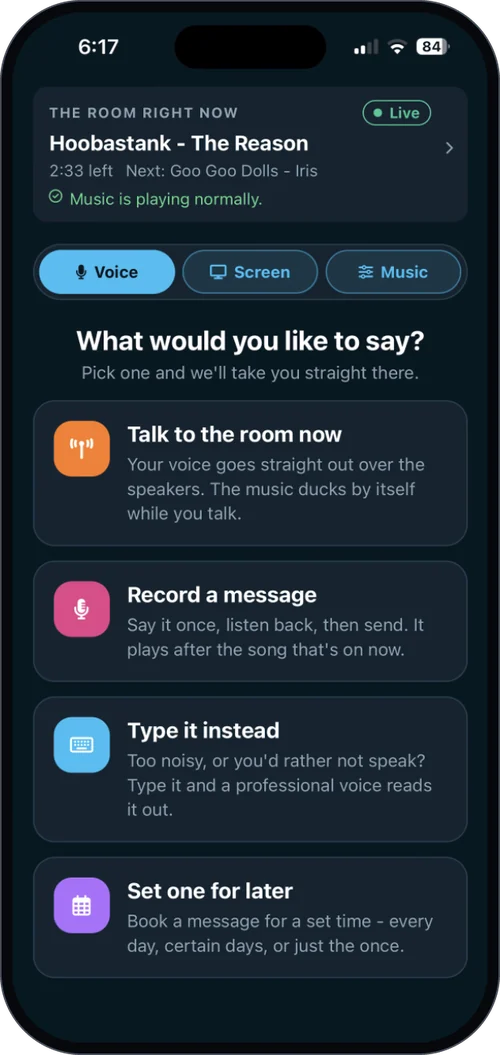
Any staff member records a quick message in their own voice, and it plays neatly after the current song. The simplest way to make a real announcement without grabbing a microphone.
In the eJukebox Admin app, tap record and speak, have a listen, and send it to the player.
Type a Message
Your own radio announcer, on demand.
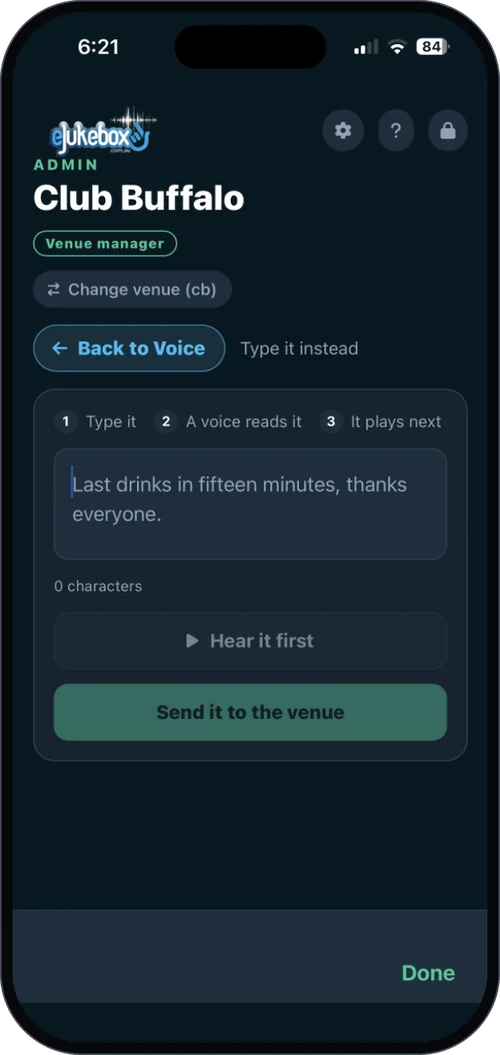
Type a line and a warm, broadcast-quality voice reads it across the room. Word-perfect every time, and nobody on the team has to perform.
Type it in the Admin app, tap Hear it first to hear exactly how it will sound, then send it. It plays as soon as the current song finishes.
Scheduled Announcements
Set it once. It never misses.
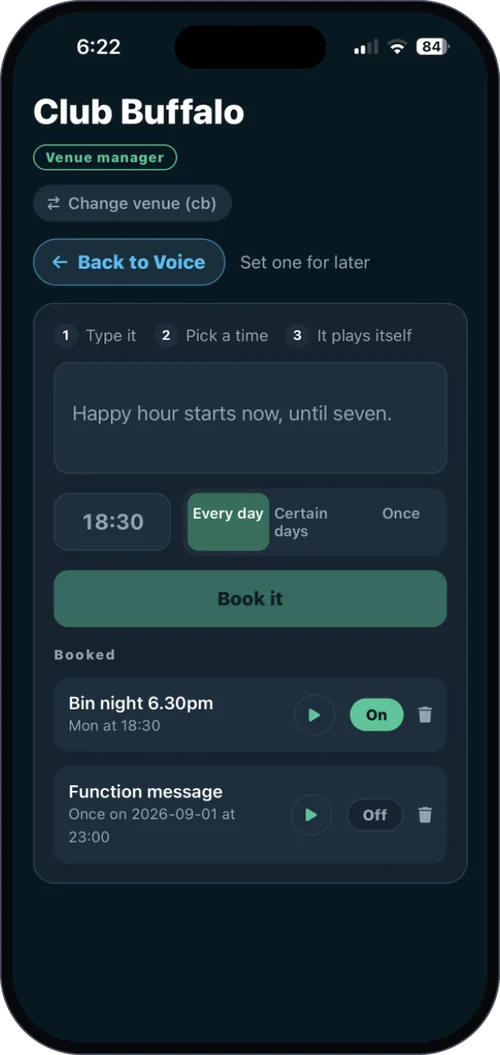
Book a typed or recorded message to play itself every day, on the nights you choose, or just once. The announcements that sell are the ones a busy team forgets - this makes sure they happen.
Pick the message, the time and how often. The player fires it on time, every time, without doubling up.
Voice Dedications
Their voice, right before their song.
When customers request a song they can record a dedication of up to 8 seconds, and it plays across the room right before their track, blending into the intro like a radio DJ. Requests get people involved; dedications make it personal.
Every dedication is transcribed and checked for bad language in real time. If it is not clean, it is rejected on the spot and never leaves their phone.
The Voice Suite bundles Type a Message, Scheduled Announcements, Live Microphone and the Live Mic Monitor for less than buying them one by one - or get every add-on with Complete. Want to talk live? See Live Microphone.
Plans & pricingHear how it sounds
What venues ask first
Does it talk over the music?
No. Announcements and dedications drop in cleanly between songs. The one exception is Live Microphone, where the music ducks while you speak.
What stops a customer saying something rude?
Every dedication is transcribed and checked for bad language in real time, and anything that is not clean is rejected on the spot.
Do we need special equipment?
No. Staff use their own phones through the eJukebox Admin app, and everything plays through the speakers you already have.
What is included?
Recording your own announcements comes with Core. Type a Message, Scheduled Announcements and Voice Dedications are add-ons, and Complete includes them all. See plans & pricing.
Ready to give your venue a voice?
Tell us about your venue and we will show you announcements that sound like they came straight from a national radio station.
Tell us about your venueOr see plans & pricing for your venue.