
Let the Room Pick the Music
Your customers request songs from their own phone - from the venue's QR code in any phone browser, or the free eJukebox Request app. They pick the music. You stay in control of what plays.
- No app needed - any phone browser works
- You choose what can be requested, and how often
- Licensed, family-friendly library with no explicit lyrics
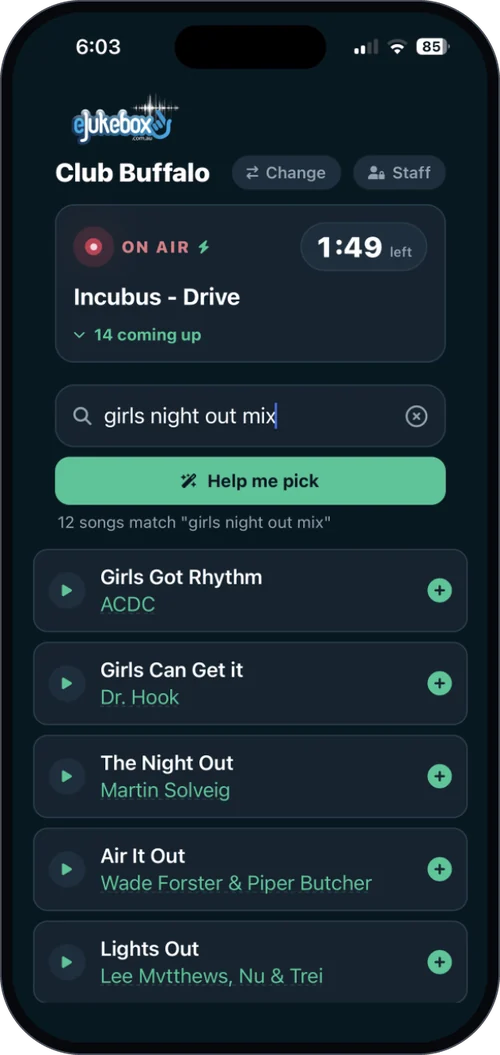
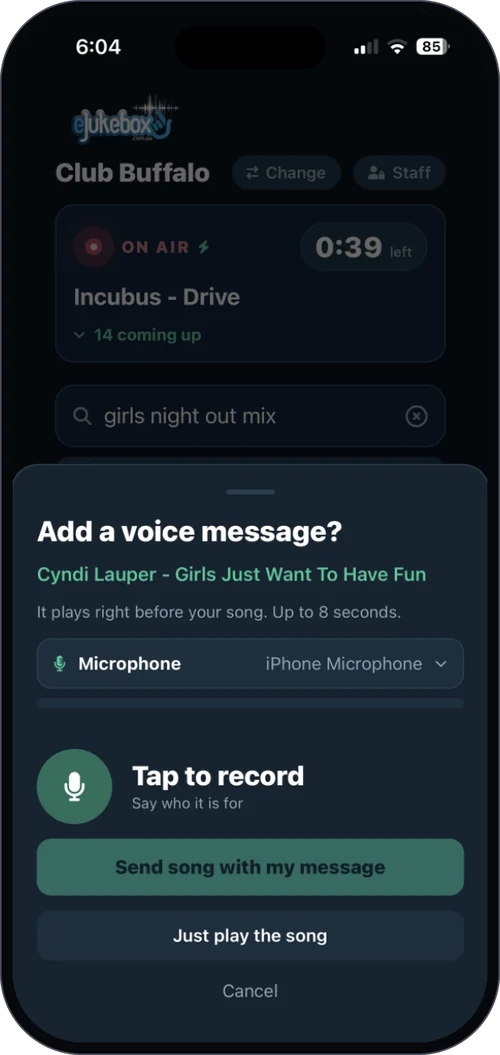
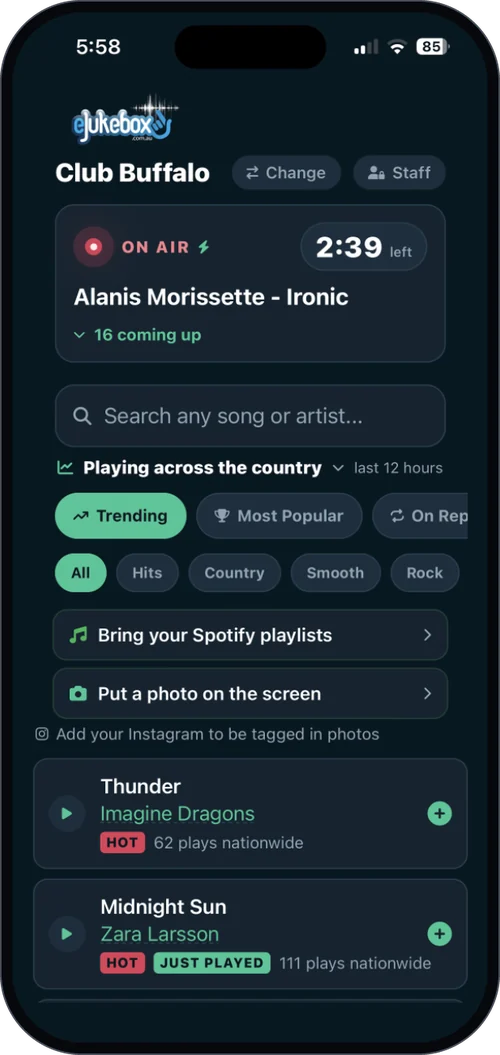
Scan, pick, and watch it come up
QR code song requests take a customer about a minute, and nobody has to queue at a jukebox or flag down a staff member.
Scan the code
QR codes on the tables, the bar or the wall open your venue's request page in the phone's browser - or the eJukebox Request app if they have it.
Find a song
Search by artist or title, hear a 30-second preview, or tap Help me pick and describe it: "80s Aussie pub rock", "something for a 50th".
Watch it come up
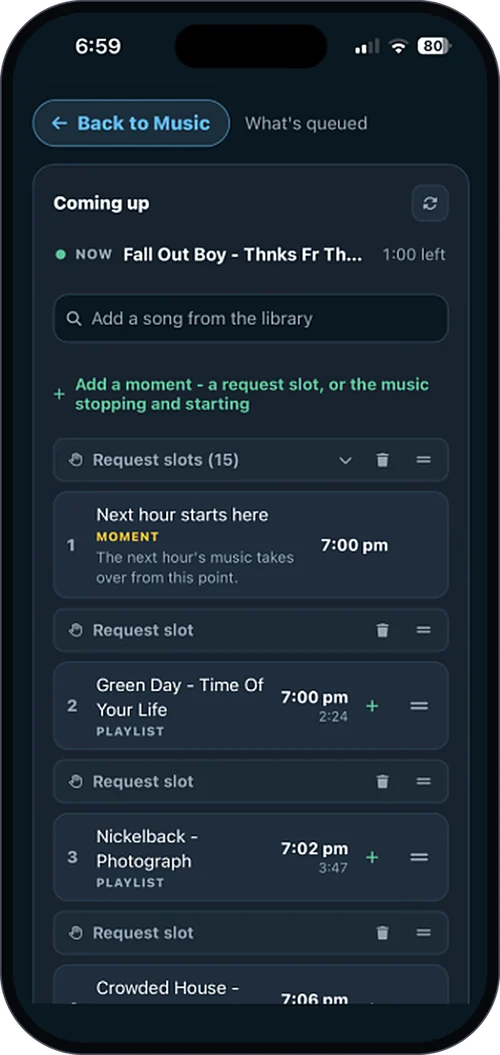
The coming-up list shows the real playing order, so everyone can see exactly where their song sits.



Requests on your terms
Handing the music to the room only works if you set the rules. These are yours, from the eJukebox Admin app.
Choose what can be requested
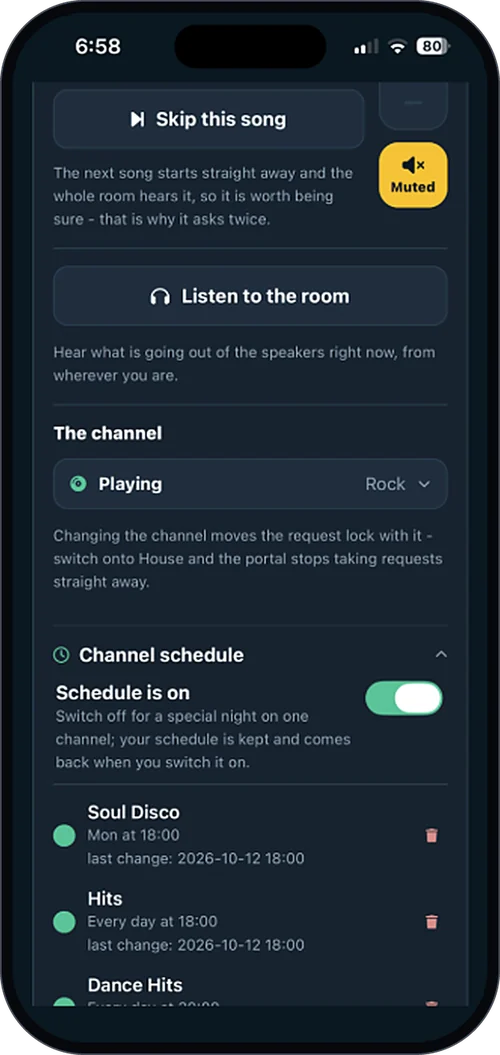
Open the whole library, or lock requests to the channel that is playing so the room's sound stays right.
Set fair limits
Cap how many songs each person can request every hour, so one table cannot take over the night.
Steer the queue
Hold a request, remove one that does not belong, or move it to the top - from the eJukebox Admin app, without leaving the bar.
Pause any time
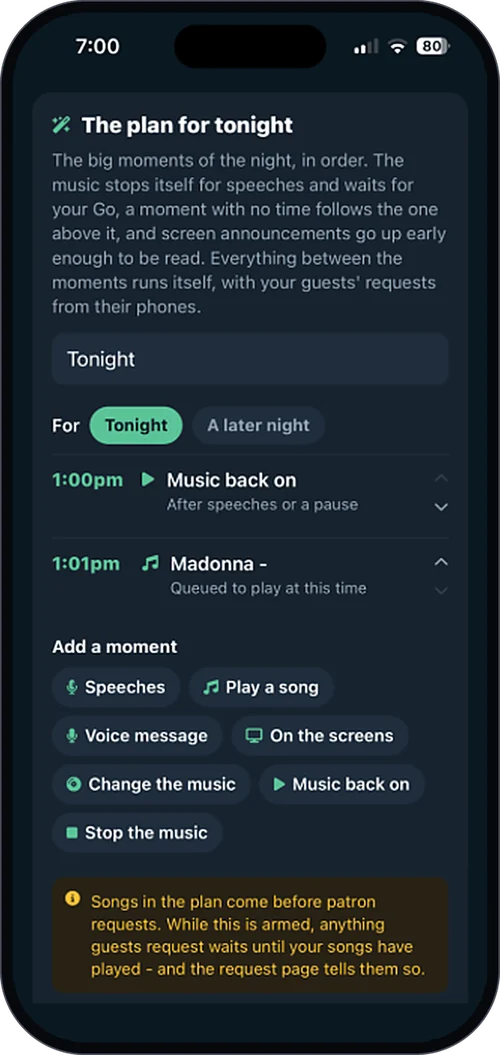
Switch requests off for speeches, a band or a quiet dinner service, and back on when you are ready.
Nobody needs to know the song name
Help me pick
Ask for music the way you would ask a person. It comes back with songs from your venue's library to browse and request.
Core and Complete30-second previews
Tap any track for a quick preview before requesting it. Try before you queue.
Core and CompletePlaying across the country
A live grid of what is playing in eJukebox venues around Australia, filtered to your venue's style. Tap a track to request it.
Core and CompleteAdd-ons that turn requests into a show
Start with requests, then add the extras that suit your room. See plans & pricing.
Voice dedications
Customers record a short shout-out that plays right before their song and blends into the intro, like a radio DJ - checked before it airs.
Add-onMore on voice features →Photos on the big screen
Customers send a photo from their phone to your venue's screens, screened automatically first.
Add-onMore on in-venue screens →Spotify playlists
Guests sign in with Spotify and request from their own playlists, matched to your library.
Add-onMore on Spotify integration →A request screen on the wall
A touchscreen booth where customers walk up, browse and pick a song - no phone needed.
Add-onMore on in-venue screens →What venues ask first
Do customers need to download an app?
No. The QR code opens your venue's request page in any phone's browser. Customers who like apps can use the free eJukebox Request app instead.
Can someone request something inappropriate?
The library is licensed and family-friendly, with no explicit lyrics. You also choose whether requests come from the whole library or just the current channel, and you can remove anything from the queue.
Can one table hog the music?
Not if you do not want them to. Set how many songs each person can request every hour.
Can people request from home?
In the eJukebox Request app, requests are only accepted while the customer is at the venue. From anywhere else they can see what is playing, but not request.
What does it cost?
Song requests, previews and Help me pick come with Core and Complete. The extras above are add-ons. See plans & pricing.
Hand the room the jukebox
Tell us about your venue and we will show you song requests running in a room like yours.
Tell us about your venueOr see plans & pricing for your venue.