
Own the Room, Straight From Your Phone
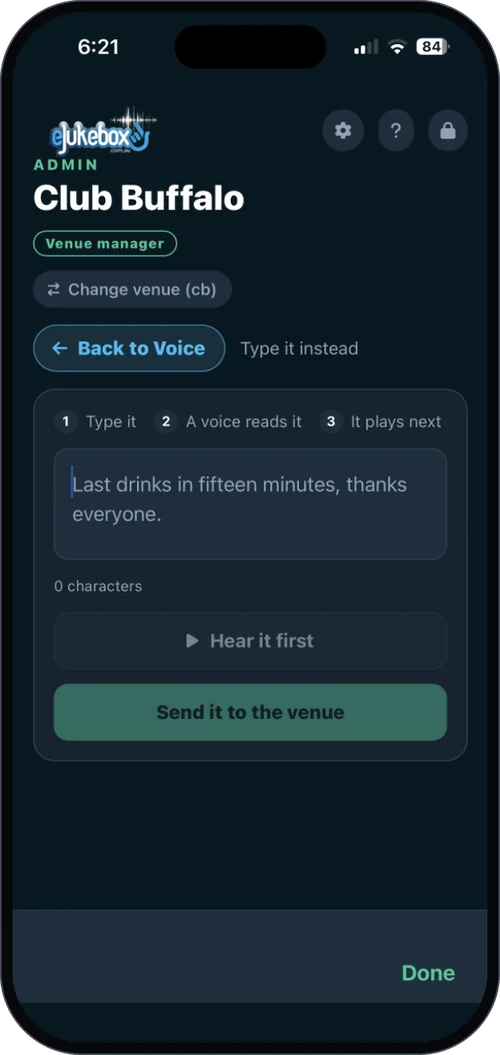
Live Microphone turns a trusted staff phone into a PA mic in seconds. Tap Go Live and the music ducks the instant you speak, then swells back when you stop. No cables, no fader to ride, no sound engineer.
- About a second of delay - close enough to feel live
- The music ducks automatically
- Through the speakers you already have

Three taps to the whole room
Some moments cannot wait: the meat-tray winner is about to be called, the band is ready, the birthday cake is coming out.
Open Voice
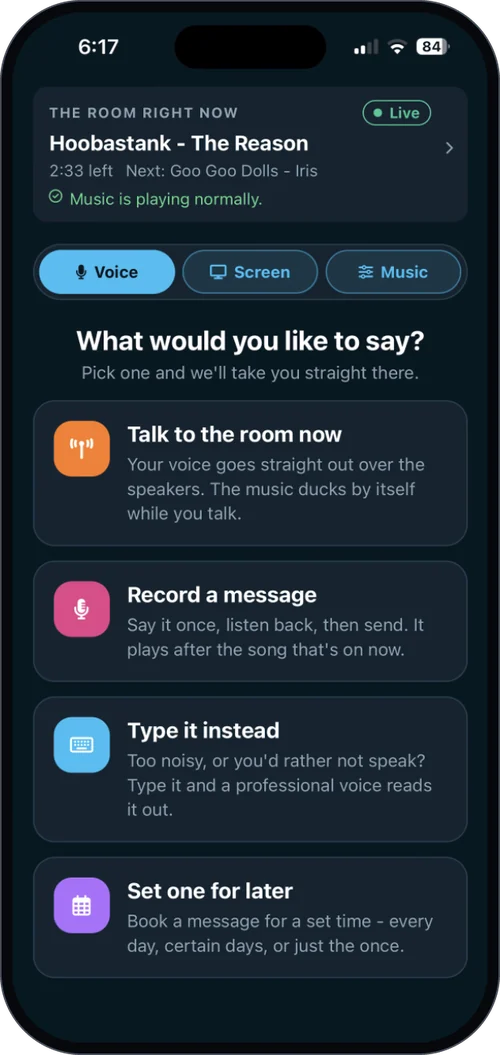
In the eJukebox Admin app, a trusted staff member or MC taps Voice, then Talk to the room now.
Pick your microphone
Use the phone's own mic or a headset - whatever is in your hand.
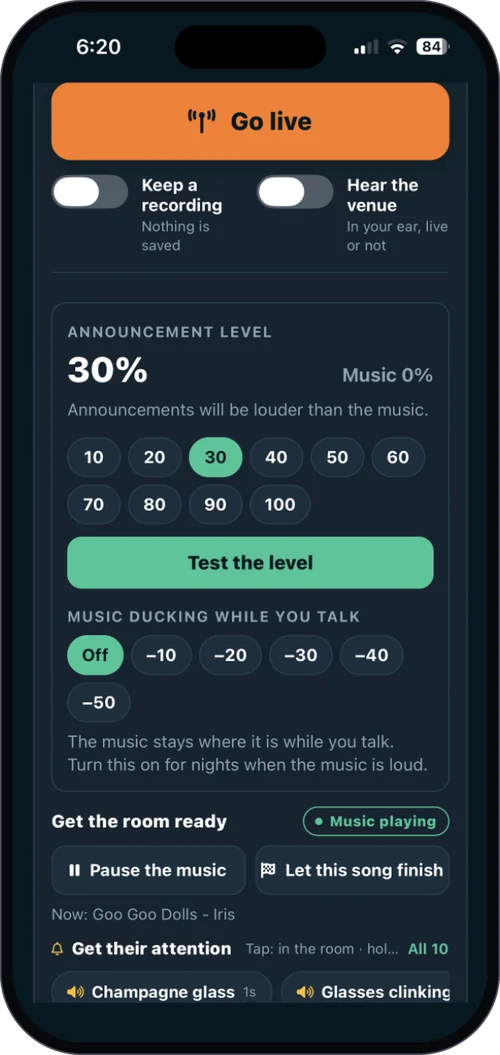
Tap Go Live
Your voice streams straight to the venue's sound system, and the music ducks underneath you.
A PA mic and a DJ's headphones
Live Microphone
Tap Go Live. The room is yours.
A direct line to the whole room for the people you trust with the mic. It turns spur-of-the-moment announcements into slick ones, and makes your staff look completely in command.
Live Mic Monitor
Talk up to the vocal like a pro DJ.
The hard part of talking over music is hearing your own voice echo back a beat late. The monitor sends the music the room hears - with your voice taken out - to your headphones, so there is nothing to trip over.
The Voice Suite bundles Live Microphone, the Live Mic Monitor, Type a Message and Scheduled Announcements for less than buying them one by one - or get every add-on with Complete. More voice features.
Plans & pricingHear it go live
What venues ask first
How much delay is there?
About a second - close enough that it feels live to the room and to the person talking.
What happens to the music?
It ducks automatically the moment you start talking and comes back up when you stop. Nobody has to touch a volume control.
Do we need new equipment?
No. It runs on a staff phone and plays through your existing speakers. For the monitor, add any pair of headphones.
What does it cost?
Live Microphone and the Live Mic Monitor are add-ons, bundled in the Voice Suite and included in Complete. See plans & pricing.
Put a pro mic in every pocket
Tell us about your venue and we will show you how simple going live can be.
Tell us about your venueOr see plans & pricing for your venue.