
Run the Room From Your Phone
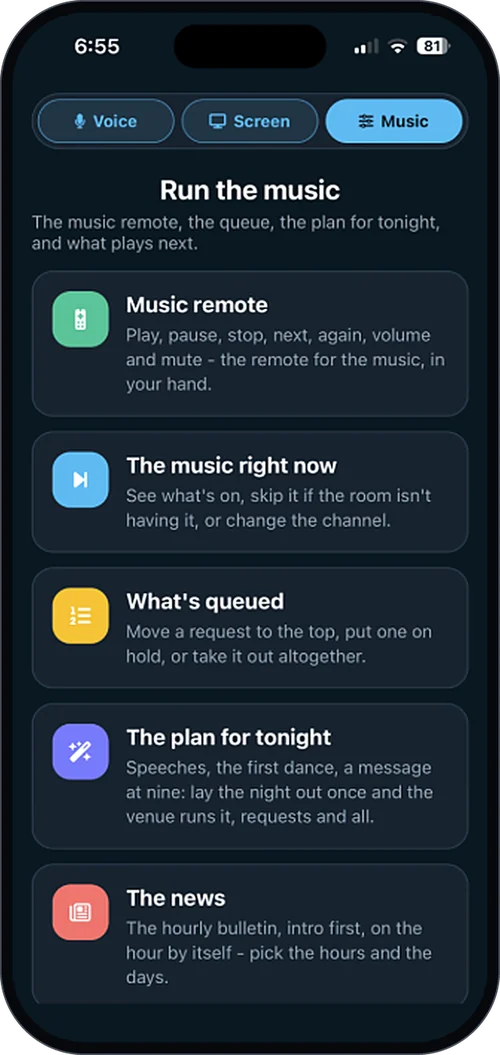
eJukebox Admin puts your whole venue's sound in your pocket. See what is playing and what is coming up, steer the music, talk to the room, light up the screens and look after your team, without ever leaving the floor.
The free staff app for eJukebox venues, on iPhone and Android.

The room is full, the kitchen closes in twenty minutes, and you have not stopped pouring since six. You glance at your phone.
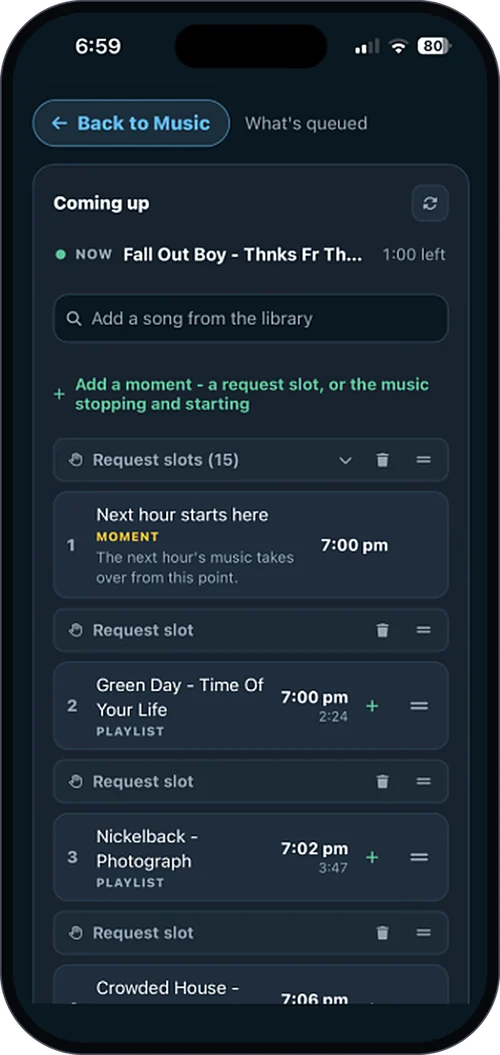
The player is healthy. You can see what is on and what is coming next. A request that has been waiting patiently goes straight to the top. One that does not suit the room gets held back. The crowd wants more energy, so you switch from Smooth to Hits.
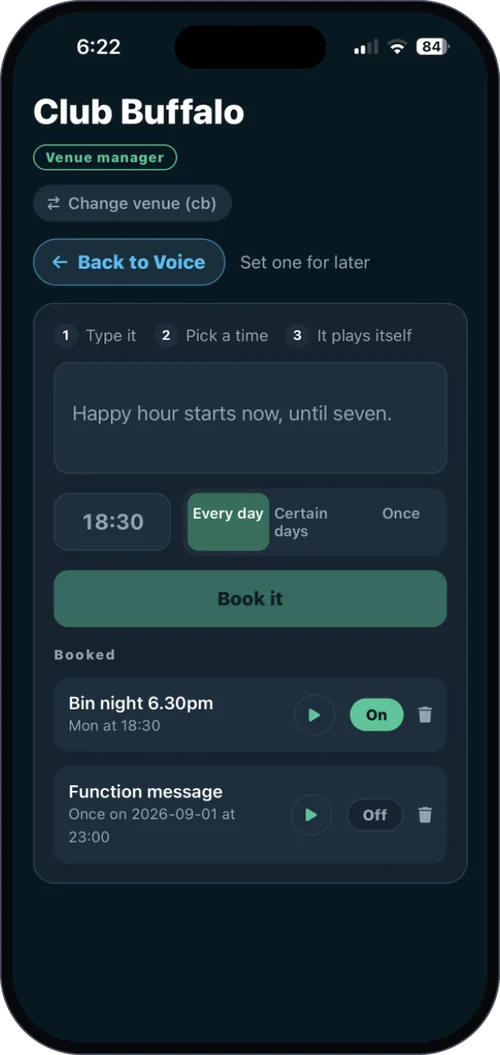
You type "Last orders for the kitchen, it closes at nine" and a broadcast-quality voice reads it to the room between songs. Trivia kicks off at half past, so the trivia slide goes up on the screens.
Your new bartender starts tonight. They sign in with their own Google account, you approve them from your phone, and they are in.
You never left the bar. Nobody noticed a thing, except that the night kept getting better.
That is what it feels like to run the room, instead of the room running you.
Everything the night needs, in one app
The things you used to walk out the back for, or wait for a quiet moment to fix, now live on the phone in your pocket.
The room at a glance
Open the app and you know exactly where the night is at: what is playing, what is coming up next, and whether everything on the player is healthy.
No walking out the back to check a computer. No wondering.
Steer the music
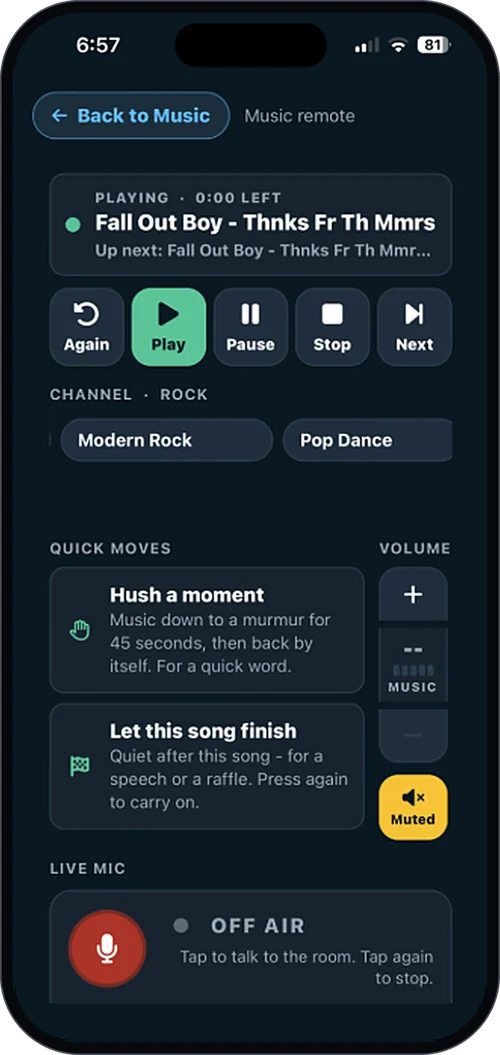
Skip a track. Hold a request, or bump it to the top. Reorder what is coming up next, and switch channels when the room needs a lift.
Live band or speeches? Turn automation off, then back on when they are done.
Or just ask
Do not go hunting for the right button. Tell eJukebox what you want in plain English and it does it.
Your voice, on the system
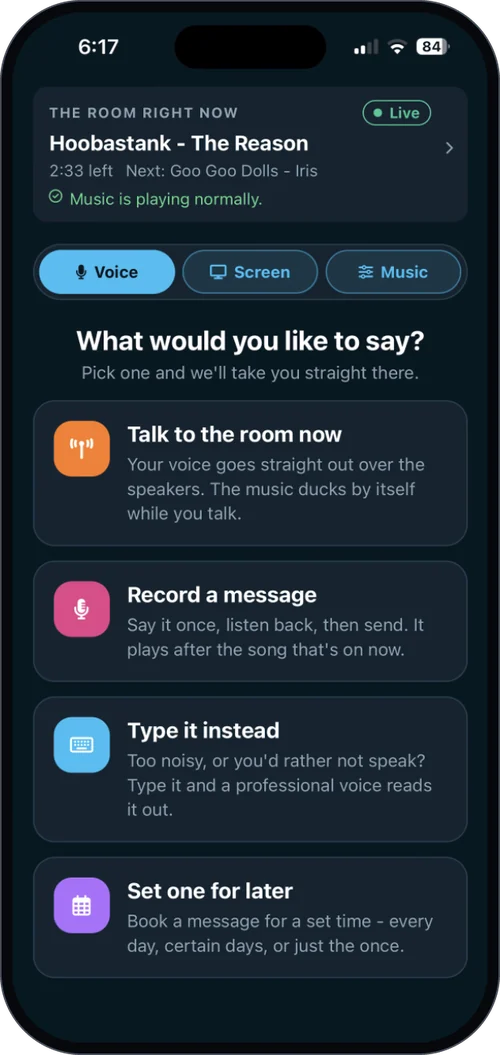
Four ways to talk to the whole room, and every one of them starts on your phone.
- Record an announcement in your own voice
- Type it, and the announcer voice reads it out Add-on
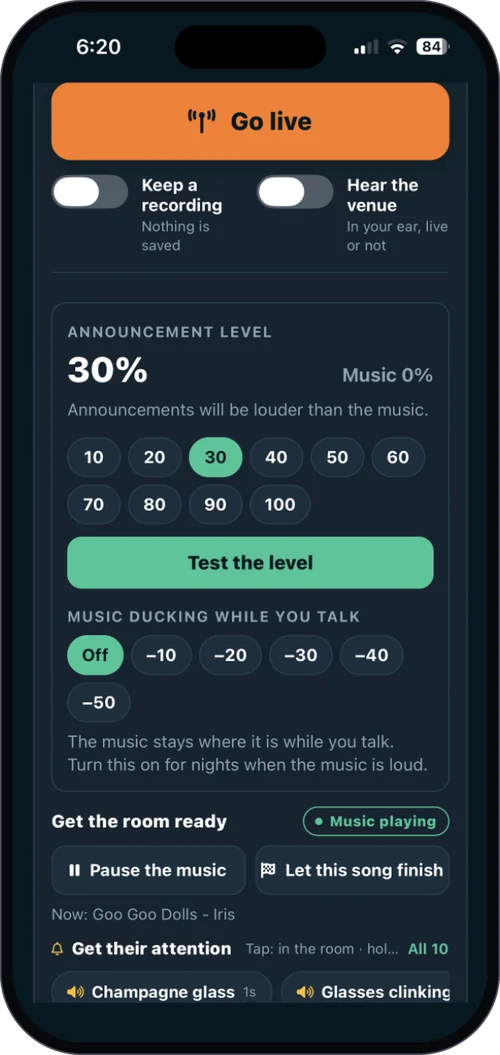
- Go live on the venue's speakers Add-on
- Schedule it to play later Add-on
The screens
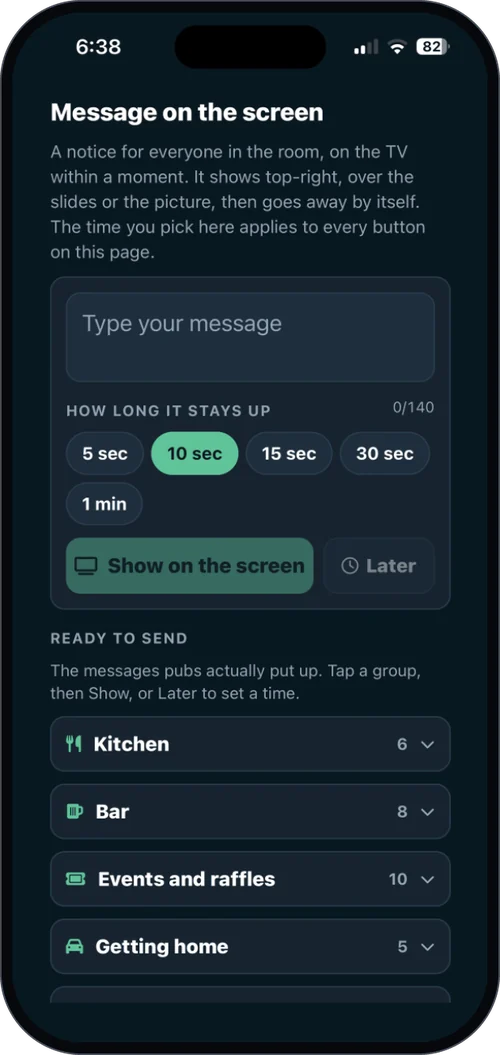
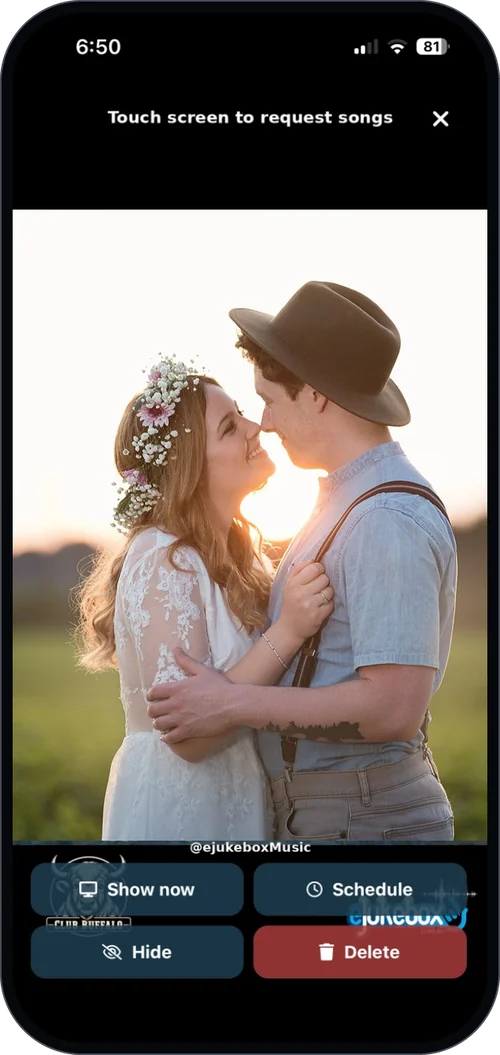
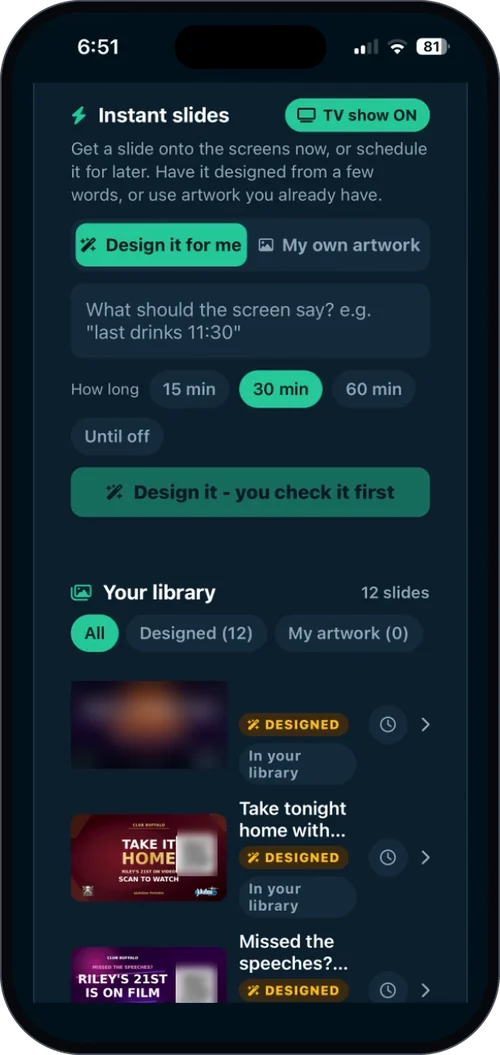
Put photos and instant slides up on your venue's screens, straight from your phone. Tonight's special, trivia at half past, the meat tray winner grinning with their prize.
Running a guest photo wall? Approve patron photos, and open or close uploads whenever you like.
Add-on More on in-venue screens →Your team
Invite colleagues, approve access requests, and choose who can manage the team.
Staff sign in with the venue password, or with their own Google, Microsoft or Apple account once you have approved them. New starter tonight? They ask to be added, you approve, and they are in.
Features tagged Add-on are switched on per venue, or all included in Complete. Everything else comes with Core. See plans & pricing.
What changes when the room is in your pocket
It is not about the app. It is about the night you can run with it.
You stay where the action is
Nobody gets pulled off the bar, the floor or the pass to sort out the music. It comes to you, wherever you are standing.
The night sounds deliberate
Lift the energy as the room fills, settle it down for dinner, and line up the right song for the right moment. It feels run, not left to chance.
Everyone has the right keys
Staff can sign in as themselves, and you decide who manages the team. Access stays in your hands, not on a sticky note behind the till.
You know it is all running
Player health is the first thing you see, so you are never left wondering whether the music is OK.
The questions everyone asks first
Who is eJukebox Admin for?
Managers and staff at venues running eJukebox. It needs an eJukebox venue and a staff sign-in from that venue, so it is a tool for your team, not your customers.
Do our customers need an app to request songs?
No. Customers can scan the code and request from their phone's browser, with nothing to download, or use the free eJukebox Request app if they prefer. eJukebox Admin is the other side of that: the controls for your team.
What does it cost?
The app itself is free. What it can do follows your eJukebox plan: song requests, reordering and recorded announcements come with Core, while the extra voice and screen features are add-ons, or all included in Complete. See plans & pricing.
Which phones does it run on?
iPhone, on iOS 15.1 or later, and Android phones.
Why can't I find it by searching the App Store?
The iPhone app is distributed straight to eJukebox venues rather than listed in App Store search. Use the App Store button on this page and it opens directly. On Android it is on Google Play as normal.
Can everyone on the team have their own login?
Yes. Staff can sign in with the venue password, or with their own Google, Microsoft or Apple account once the venue has approved them. You choose who is allowed to manage the team.
Get eJukebox Admin
Free for eJukebox venues. Download it, sign in, and the room is in your pocket.
iPhone needs iOS 15.1 or later. The iPhone app is not listed in App Store search, so use the button above.
Not on eJukebox yet?
Picture your busiest night, run from the phone in your pocket. Tell us about your venue and we will show you what eJukebox would do for your room.
Tell us about your venueOr see plans & pricing for your venue.